LG LAAA009-G5 LED顯示器(請來電詢問)
-搭載webOS
-內建喇叭
商品介紹
All-in-One Micro LED Display
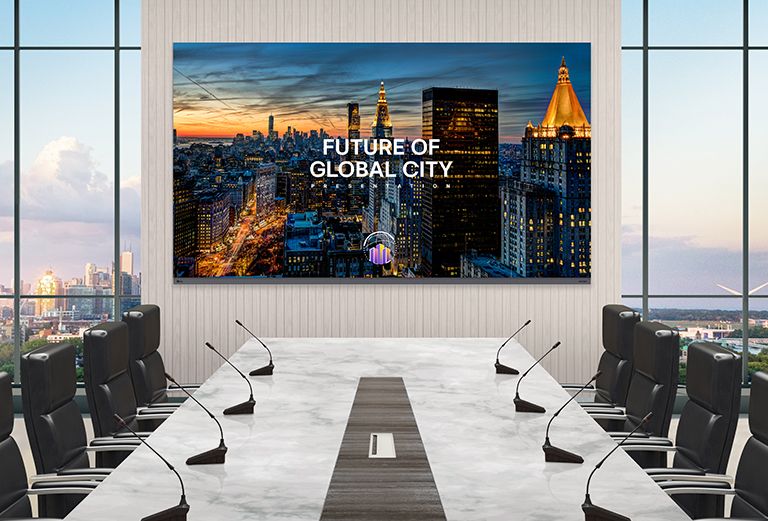
In a luxurious meeting room with a wide conference table and a view of the scenery outside, there is a LG MAGNIT All-in-One, LAAA series, installed on the wall. The 136-inch LAAA screen vividly displays presentation materials for the meeting.
* All images in this page are for illustrative purposes only.
Improving Visual Precision with Micro Pixel Technology
LG MAGNIT’s Micro Pixel Pitch Technology offers remarkable visual precision. Our advanced LED chips provide impressive detail accuracy and precise light control, delivering crystal-clear images on the display. With accurate color expression, every hue is rendered with stunning clarity and depth, providing a true-to-life visual experience. Enjoy the fineness of display technology with LG MAGNIT.
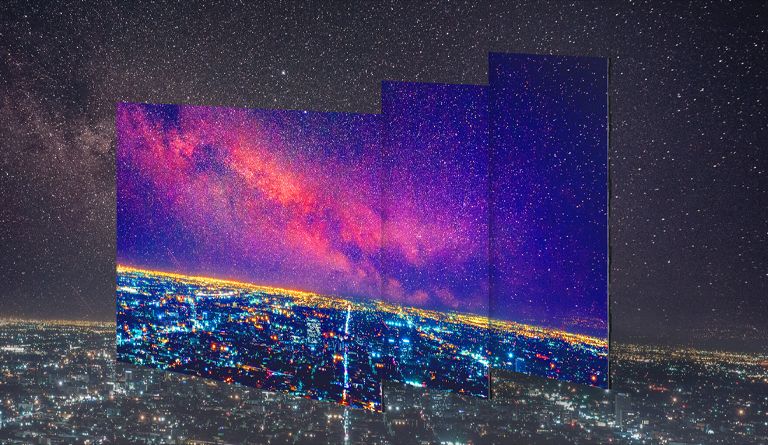
LG MAGNIT All-in-One, LAAA series's modules come together to form a large screen that showcases precise colors and clear night views.
Enhanced Uniformity with
LST (LG Surface Treatment) Technology
LG MAGNIT's innovative Chip Transfer and Surface Treatment Technology enhances white uniformity and reduces color distortion across a wide viewing angle, delivering true and accurate viewing experiences. This technology ensures remarkable color uniformity, resulting in superb image quality.
-Technology-LG-MAGNIT-LED-Signage-ID-M.jpg)
While conventional LED screens distort colors (appearing red) at different wide angles, LG MAGNIT displays accurate results across the wide viewing angle.
* Based on LG's conventional LED signage without LG's chip transfer and surface treatment technology.
Achieving Deep Black with Black Coating Technology
LG MAGNIT's advanced and precise method for direct bonding micro-sized chips onto circuit boards, combined with the black coating technology and reduced spacing between the chips and the board, creates a stunning black expression that stands out compared to SMD-type LED displays. This makes it the ideal choice for displaying content that requires deep black color, ensuring that every image is rich, vibrant, and true to life.
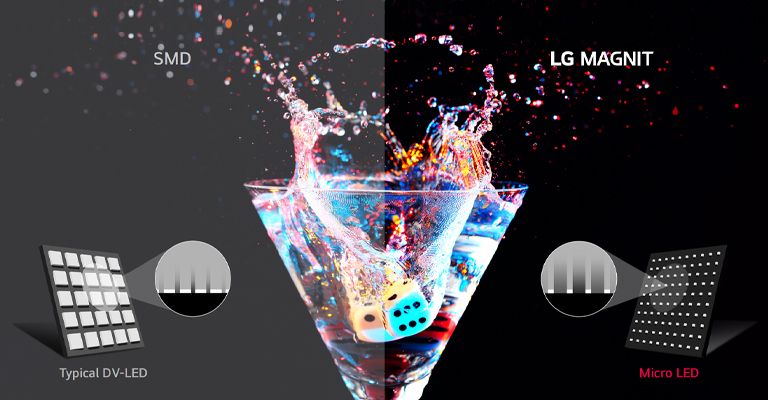
Traditional SMD-type LEDs have larger chips, and the casing color used for the LED chips gives the screen an overall gray appearance. In contrast, Micro LEDs directly embed micro-sized chips on the substrate, with the non-chip areas being black, resulting in deep representation of black color.
AI-powered Viewing Experience with Alpha 7 Processor
LG MAGNIT features an advanced AI-powered Alpha 7 Intelligent Processor that provides clarity and sharpness to deliver an immersive viewing experience. Its advanced AI technology enables the processor to recognize and analyze content, tailoring the display settings for each individual scene to create a highly realistic and vivid image possible.
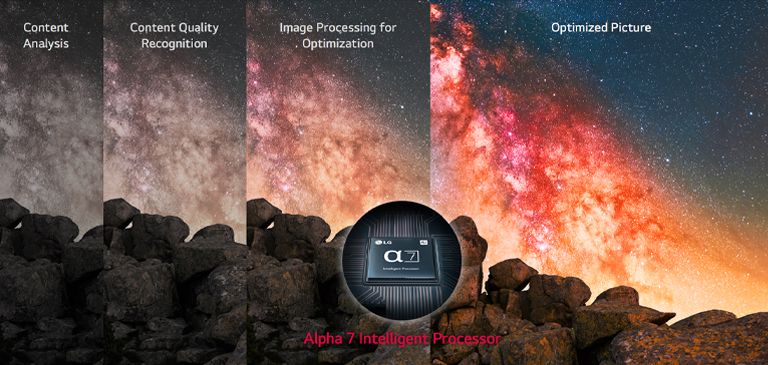
Through optimization by the Alpha 7 Intelligent Processor, nebulae in the night sky appear more vibrant and exhibit enhanced sharpness.
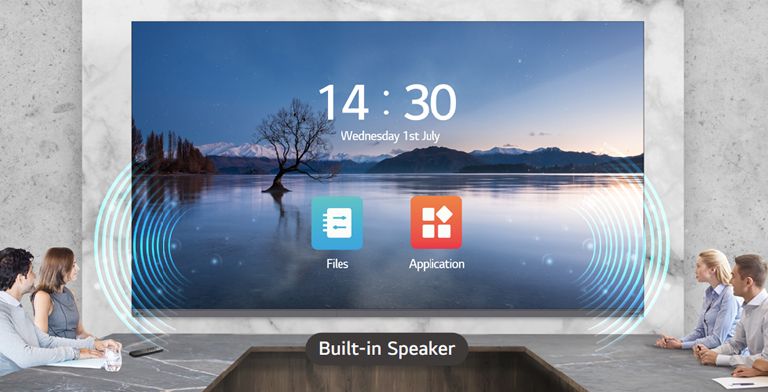
All-in-One LED Screen with Built-in Speaker
The LAAA series is a 136-inch large screen which is offered as an all-in-one package including an embedded controller and built-in speaker. Eliminating the prejudice that LED displays are difficult and complex to install, it doesn't require controller connections or module configuration. After a simple installation process, all you need to do is to turn on the screen with a remote control like home TV.
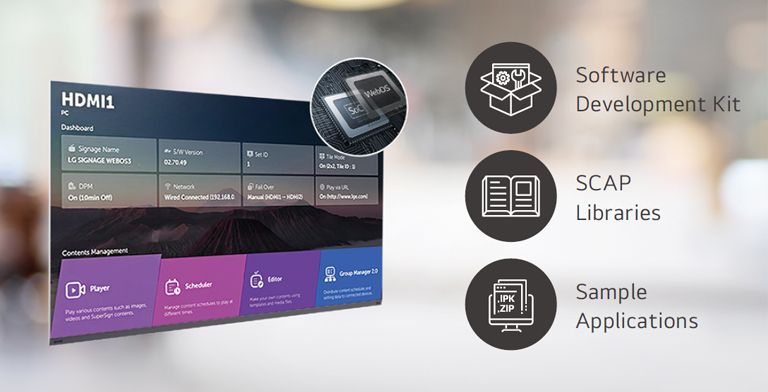
High Performance with webOS
Built-in Quad Core SoC (System on Chip) can execute several tasks at once for providing smooth content playback. Also, LG webOS Smart Platform enhances user convenience with intuitive GUI and provides to SI or/and developers simple app development tools* such as SDK (Software Development Kit), SCAP, sample applications.
* The webOS Signage Developer site (http://webossignage.developer.lge.com) provides SDK tools and documentation for creating apps on LG Digital Signage. This is only open to partners.
Simple Installation Process
Create a full screen of LG MAGNIT AIO with 5 units of assembled LDM(LED Display Module)s. A unit consisting of 30 modules is preconfigured with reduced gaps thanks to LG MAGNIT's professional module alignment process. Tightly hold the screen with its refined bezels and back cover, and connect AC cables (One for LAAA015, Two for LAAA007). Then, it allows for neat installation without the complicated power connection.
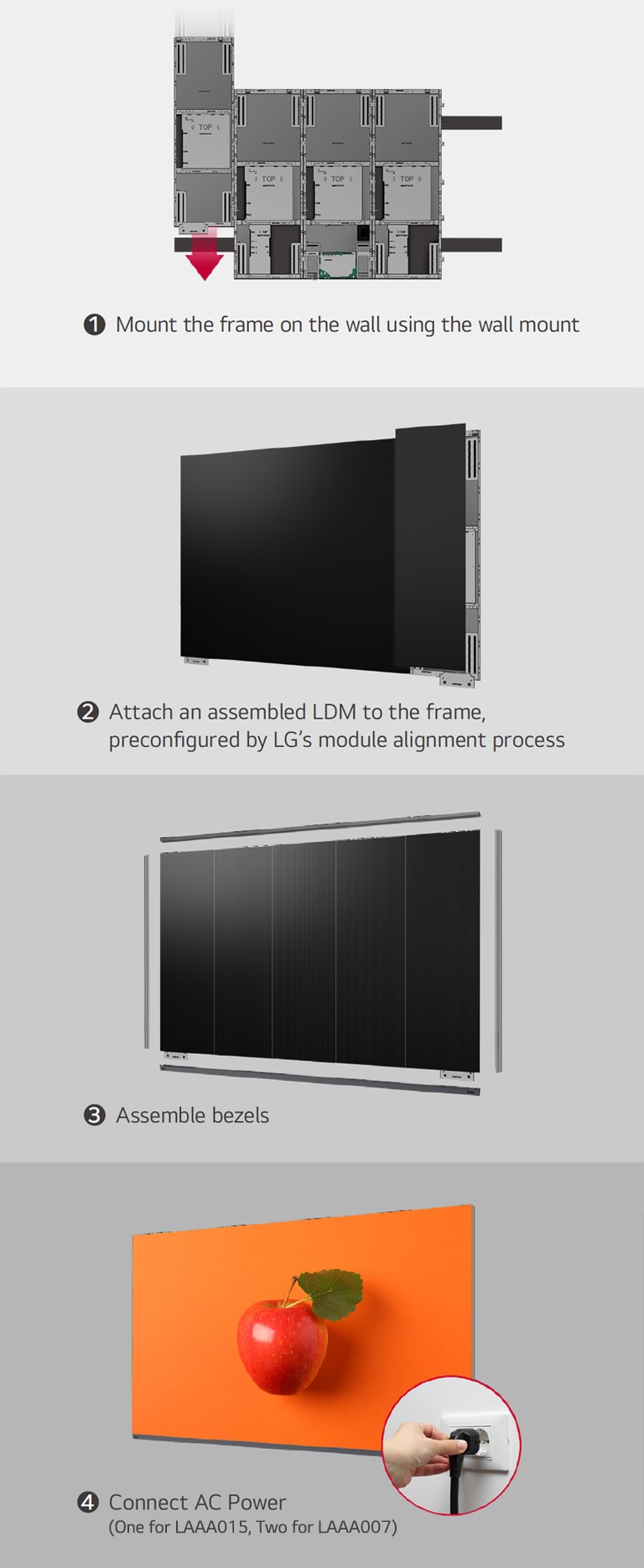
This consists of a total of 4 images showing the steps to mount the frame on the wall using the wall mount, attach the 5 units of an assembled LDM to the frame, assemble bezels, and connect AC power.
* Fixing screws or installing wall mount/accessories is need additionally.
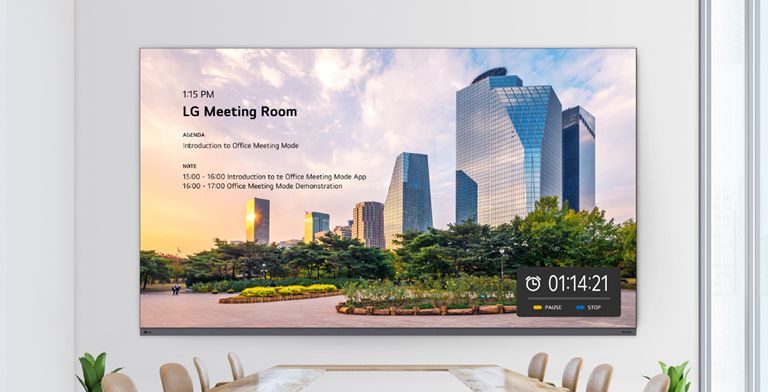
Office Meeting Mode
With Office Meeting Mode, easily configure meeting room details like the room number and current time. It also includes convenient features like automatic input switching, a presentation timer, and adjustable settings such as autobrightness and picture mode.
* Users can enable Office Meeting Mode at EZ Setting menu of the Signage.
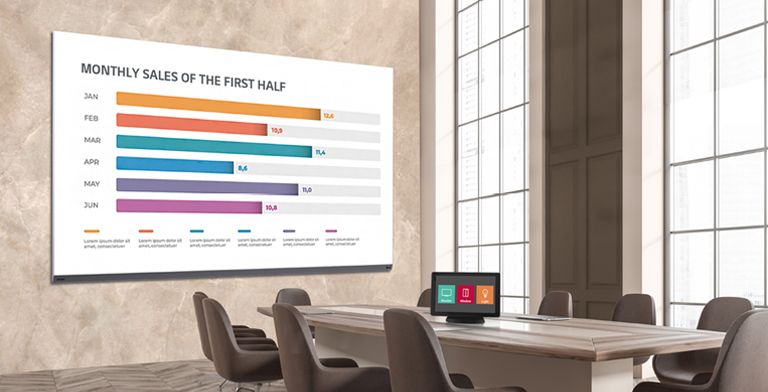
Compatible with AV Control Systems
The LAAA series supports Crestron Connected®* for high compatibility with professional AV controls to achieve seamless integration and automated control**, boosting business management efficiency.
* Initial setting from display is required for Crestron Connected® compatibility.
** Network based control
*** Crestron Connected® needs to be purchased separately.
Magic Remote for Easy of Use
With the LG Magic Remote, you can select and run the menu of the signage just like using a mouse and its cursor can be used as a laser pointer. In addition, through the newly added 'FREEZE' button on the remote control, users can temporarily freeze the screen while switching contents on the PC, so that users are able to have uninterrupted meetings without exposing its switching process.
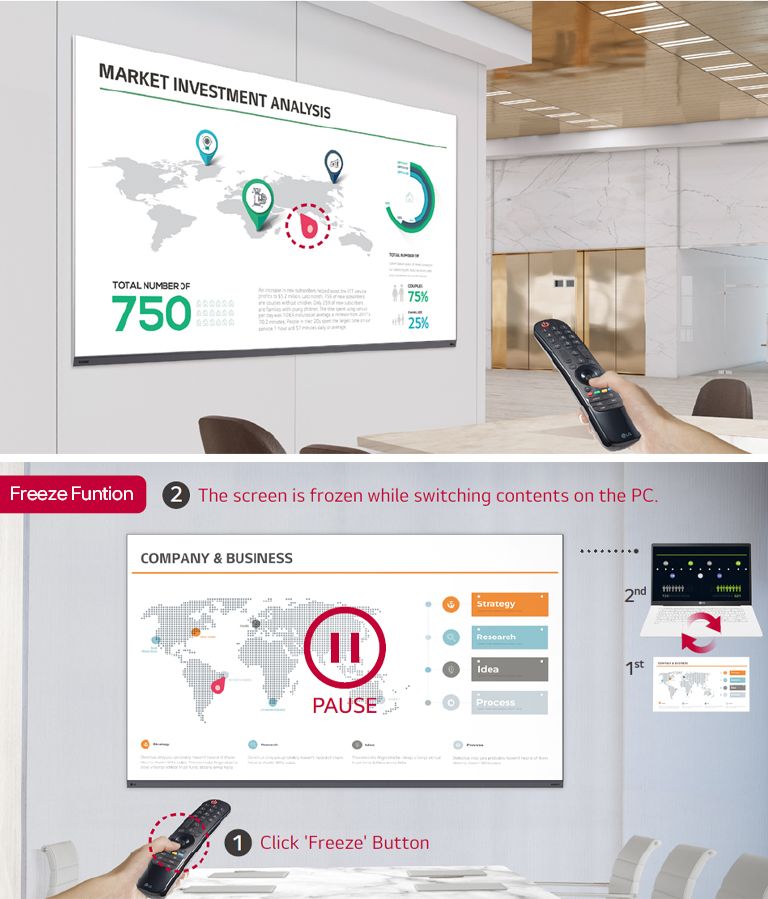
The functions of the LG Magic Remote are shown in two images. The left image shows the Magic Remote’s function which allows it to be used as a laser pointer on the LAAA screen. The right image is the Freeze Function, and when the Freeze button on the Magic Remote is pressed, the LAAA screen installed on the conference room wall is paused and the contents of the PC can be changed without exposing its changing process.
* The FREEZE function is only available when the LAAA is connected to an external input signal.
LG’s Wireless Screen Sharing Solution,
LG One:Quick Share
LG One:Quick Share is a wireless screen sharing solution available through the LAAA series, USB transmission unit, and its app. You can simply share personal PC screen to the display with it's USB dongle button and embedded Wi-Fi*, and can adjust the basic setting values (volume, picture mode, auto bright, etc.) of the connected display without a remote control. Also, the Office Meeting Mode** helps you to display the agenda, note before the meeting starts.
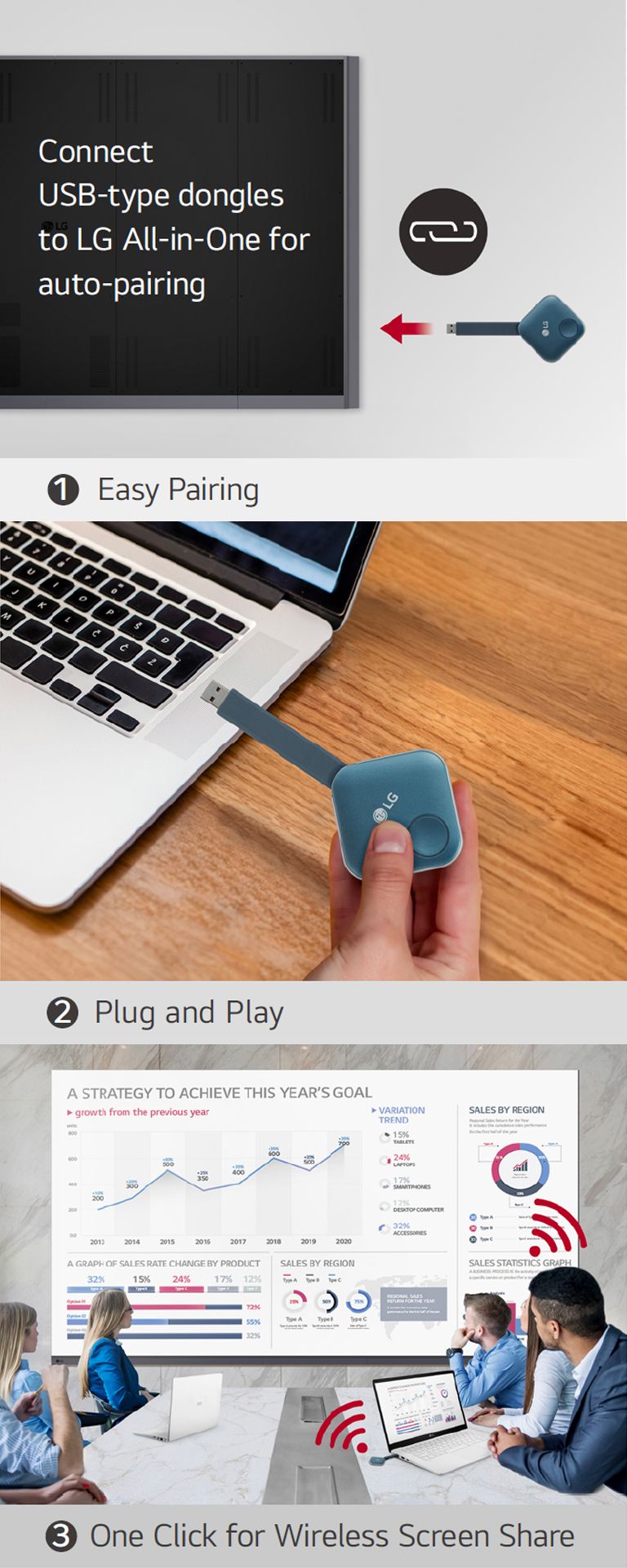
"This consists of total 3 steps' images for installing One:Quick Share USB dongle and sharing the personal screen for wireless screen sharing. The first image is for pairing the USB dongle and the LG digital signage, the second describes a person is holding the USB dongle and trying to connect it to the PC, and the last image is for finally people having a meeting by connecting a USB dongle device to a laptop and sharing a screen wirelessly with the LAAA on the wall."
* Users need to set up SoftAP enabled at Network Menu of the Signage.
** Users can enable Office Meeting Mode at EZ Setting Menu of the Signage.
*** LG One:Quick Share needs to be purchased separately and is compatible with PC with the operating system of ~Windows10, ~MacOS 10.15.
規格說明
※本網站所提供產品規格內容如有變更,恕不另行通知。實際請以各廠牌官方最新公告資訊為主。
|
資訊 |
|
|
型號名稱 |
LAAA009-G5.ATT |
|
物理參數 |
|
|
像素配置 |
Micro |
|
像素間距 (mm) |
0.94 |
|
模組解析度 (WxH) |
320x120 |
|
模組尺寸(WxH,mm) |
300x112.5 |
|
機櫃平坦度 (mm) |
±0.2 |
|
機櫃材質 |
Steel |
|
服務進入點 |
Front |
|
單一螢幕模組數 (WxH) |
12x18(Total 216) |
|
螢幕解析度 (WxH) |
3,840x2,160 |
|
螢幕尺寸(W x H x D,mm,含邊框) |
3,604x2,078.8x54.9 (Thickest 57.4) |
|
螢幕表面積 (㎡) |
7.29 |
|
螢幕重量 |
258.4 |
|
光學規格 |
|
|
最大亮度(校準後,nit) |
Max. 500 / Peak 1,500 |
|
色溫 (K) |
3,200~9,300 |
|
視角(橫向) |
160 |
|
視角(縱向) |
160 |
|
亮度均勻度 |
0.95 |
|
色彩均勻度 |
±0.015Cx,Cy |
|
對比度 |
40,000:1 @10lux |
|
處理深度(位元) |
20 (HDR10, HDR10 Pro) |
|
電氣 規格 |
|
|
供電 (V) |
100 to 240 |
|
幀率 (Hz) |
50 / 60 |
|
更新率 (Hz) |
3,840 |
|
耗能(W/螢幕,最大值) |
1,900 |
|
耗能(W/螢幕,平均值) |
950 |
|
散熱(BTU/h/螢幕,最大值) |
6483 |
|
散熱(BTU/h/螢幕,平均值) |
3241 |
|
運作 規格 |
|
|
作業溫度 (℃) |
0℃ to +40℃ |
|
作業濕度 |
10~80%RH |
|
IP 等級正面 |
IP50 |
|
IP 等級背面 |
IP20 |
|
LED 使用壽命(半亮度) |
100,000 |
|
標準 |
|
|
認證 |
Safety 62368-1 & 60950-1 EMC Class A |
|
環境 |
|
|
環境 |
RoHS |
|
90 度切角 |
|
|
90 度切角 |
NO |
|
喇叭 |
|
|
喇叭 |
Built-in(10W+10W) |
|
I/O 連接埠 |
|
|
I/O 連接埠 |
HDMI(3), DP(1), USB, LAN, |
運送方式
運送說明
1.本網站訂購之商品將於訂單轉出後統一由服務人員與您聯繫配送,本公司配合物流如下:
*神行貨運。
*台快貨運。
*宅急便物流。
*便利帶物流。
*郵局。
*宏程自行配送。
**商品如無特殊情況( 遇原廠缺貨、客戶延期.....等)將於2個工作日內出貨。配送時間依照各地物流配達為主。如需詢問可透過官方LINE:@daka1788 或電話 02-23942890 詢問配送進度。
2.詳細配送說明
(1)商品如標示免運費。則消費者毋須負擔運費。
(2)如遇偏遠地區,將依地區收取偏遠運費。
(3)不提供舊機拆卸安裝與回收服務
(4)詳細配送條件將於訂單確認時由專員與您核對。
(6)如遇無電梯之樓層,將依樓層收取樓層費。
(7)貨運僅配送額外服務需求將依現場報價收取。
3.影音產品配送
(1)商品將於訂單付款完成後2個工作天內出貨。
(2)商品將依據大小、地區,調整配送方式,恕不可指定配送商
提醒您。於宏程購物網購買之商品必須於網頁申請退換貨:點我前往(電話或口頭告知皆不成立)
依照消費者保護法規定,消費者均享有產品到貨7天猶豫期之權益(注意!猶豫期非試用期),但提醒您,商品退貨時必須是全新狀態且包裝完整,所有內容物必須回復原狀,亦即必須回復至您收到商品時的原始狀態 (包含主機、附件、內外包裝、隨機文件、贈品等),若為部分商品退貨則針對您已使用或保留之商品應另以市價計價,否則將影響您退貨的權限。
*7天猶豫期(非試用期)內進行商品退換貨時,應負有回復原狀之義務。
*退換貨商品必須是全新商品,商品與盒裝外觀不得有刮傷、破損、受潮、塗寫文字,且必須保有相關配件(保護袋、配件包裝、保麗龍、贈品、所附文件...等)之完整性。
*猶豫期內請保留原「運送外箱」,勿讓物流商或貨運公司收走,以便退換貨返還時保護商品使用。
*另投影機,顯示器、音響除產品本身故障或瑕疵外,一經使用將會影響退貨權限。
<<特殊情況無法退貨>>
1. 商品因消費者個人因素需延後配送超過訂單日7天以上。經告知為保留商品無法退貨後,即不允退貨。
2. 商品原始外包裝與包材(紙箱、保麗龍、保護材….等)遺失、損毀或非使用原始包材,因無法確保物流配送狀況,則不允退貨。
3. 經原廠判定為人為損壞商品,因商品已無法復原原始狀態,不允退貨。
<<換貨流程>>
1. 商品經使用者開封使用後,如商品本身瑕疵,將通知原廠服務站到府檢測。
2. 原廠確認新品不良後,始可換貨。
3. 非商品本身瑕疵換貨,消費者如無法復原原始商品,須負擔整新費用(依照使用程度逐項收取)。
4. 非新品猶豫期間內提出申請換貨(商品送達後7日後),將由原廠服務站與消費者說明後續處理。
<<特別說明>>
1. 大型商品退貨原因如為商品異常,將請原廠指定服務單位到府鑑定商品,請於退貨時一併將檢測單據附上,如無法附上或拒絕原廠指定服務單位到府檢測將視為良品退貨,並依照使用程度逐項收取費用。
2. 大型商品回收時將於回收地點現場基本商品狀況確認,如消費者拒絕人員確認或無法於取回地點確認,經人員回報後,則不允回收商品並拒絕退貨。
3. 配送或回收商品僅有一次免費派遣,如因消費者因素造成二派情況,產生費用將由消費者支付。
4. 配送人員安裝商品,視同消費者使用商品,如對商品有疑慮,消費者有權選擇不安裝
5. 本公司收到您下單(要約)後,仍需確認交易條件正確、供貨商品有庫存或服務可提供。如有無法接受訂單之異常情形,或您下單後未能完成正常付款,應視為訂單(買賣契約)全部自始不成立或失效,本公司得於合理期間內通知說明拒絕接受訂單。請您重新依需求下單訂購。


